Multithreading Automate Multi-Vendor Devices Efficiently
In the previous post, already discuss about Automating Multi Vendor Devices with Netmiko. In that post, exploring multi vendor automation using pyhton netmiko. Each device run the execution by sequence, one device at the time. In this post, let’s explore how to make it faster by running the execution simultaneously. Same as previous post, Network automation in this post using netmiko that running on pyhton version 3. Device type that used is Cisco IOS-XE and Cisco IOS-XR. The automation to show OSPF configuration and verifiy adjacency.

The key factor of running syntax simultaniously is multithreading. A thread refers to a sequence of instructions within a program that can run independently from other code. Multithreading enables a system to accomplish multitasking. In order to run multithreading, need to active ThreadPoolExecutor.
from concurrent.futures import ThreadPoolExecutor, as_completed
First, create a device definitiong. Device definition using list and dictionary. There are 5 devices in this, so device defination in python as below. The dictionary contain all the required parameters for Netmiko’s cnnectHandler() funtion to establish SSH to network devices.
XRV1 = {
    'device_type': 'cisco_xr',
    'ip': '11.10.10.1',
    'username': 'admin',
    'password': 'password'
}

XRV2 = {
    'device_type': 'cisco_xr',
    'ip': '11.10.10.2',
    'username': 'admin',
    'password': 'password'
}

R3 = {
    'device_type': 'cisco_ios',
    'ip': '11.10.10.3',
    'username': 'cisco',
    'password': 'cisco'
}

R4 = {
    'device_type': 'cisco_ios',
    'ip': '11.10.10.4',
    'username': 'cisco',
    'password': 'cisco'
}

R5 = {
    'device_type': 'cisco_ios',
    'ip': '11.10.10.5',
    'username': 'cisco',
    'password': 'cisco'
}

all_devices = [XRV1, XRV2, R3, R4, R5]
The automation displays the OSPF configuration and verifies OSPF adjacency. Cisco IOS-XE and IOS-XR use different commands for these tasks. To view the OSPF-specific configuration, IOS-XE uses show running-config | section ospf, whereas IOS-XR uses show running-config router ospf.
command_list = {
    'cisco_ios': ['show running-config | s ospf', 'show ip ospf neighbor'],
    'cisco_xr': ['show running-config router ospf', 'show ospf neighbor']
}
After that, define a reusable function named execution(device). In this function include connecting to a device using net_connect = ConnectHandler(**device). This syntax establish SSH Connection using key and value from dictionary. Executing command for vendor specific using commands = command_list.get(device['device_type'], []) . This syntax mapping the command that will be executed based on device_type in the dictionary for each device in the list called all_devices.
def execution (device):
    try:
        output_result = f"\nConnecting to ({device['ip']})"
        net_connect = ConnectHandler(**device)
        commands = command_list.get(device['device_type'], [])
After command already mapped to device_type, then do the iteration of execution. This iteration is necessary because multiple commands need to be executed. The terminal shows output of command that execute and device identity (IP). If any issue happend, it returns an error message.
   for cli in commands:
       output = net_connect.send_command(cli)
       output_result += f"\n Output of '{cli}' on {device['ip']}:\n{output}"
   return output_result
except Exception as e:
   return f"Failed to connect to ({device['ip']}): {e}"
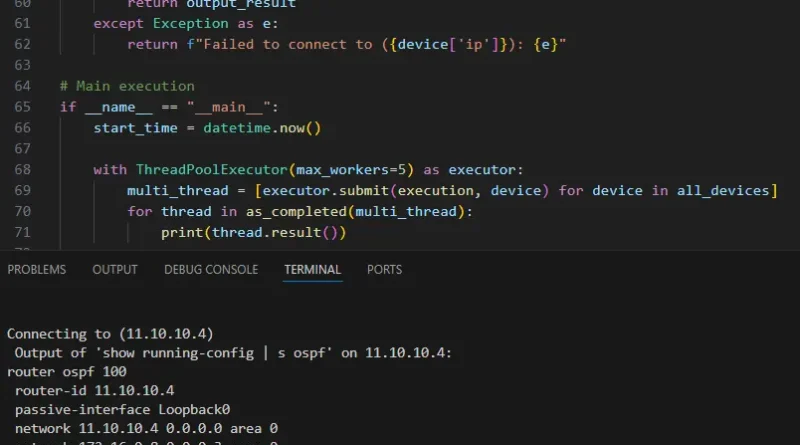
Then, create a thread pool that runs only when the script is executed directly. This thread pool will run simultaneously maximum 5 devices using max_workers=5. This multithread run the function execution (device) concurrently for each device in all_devices. After the execution complete this syntax will calculate the total of duration execution time.
if __name__ == "__main__":
    start_time = datetime.now()

    with ThreadPoolExecutor(max_workers=5) as executor:
        multi_thread = [executor.submit(execution, device) for device in all_devices]
        for thread in as_completed(multi_thread):
            print(thread.result())

    end_time = datetime.now()
    print('\nDuration: {}'.format(end_time - start_time))
Result
Duration for the same scenario is only 4 seconds. But when the same scenario done in sequence the duration is 15 seconds. Output of this automation as below.
